“He Who Expects Nothing is Never Disappointed” was my somewhat sad and defensive mantra as a teenager and young adult. I can assure you it carried me through many challenging times, and certainly served a useful purpose.
But as I matured, becoming more affluent and expecting more returns from life and the effort I put into it, this maxim faded into the background.
But it was brought sharply back into focus today.
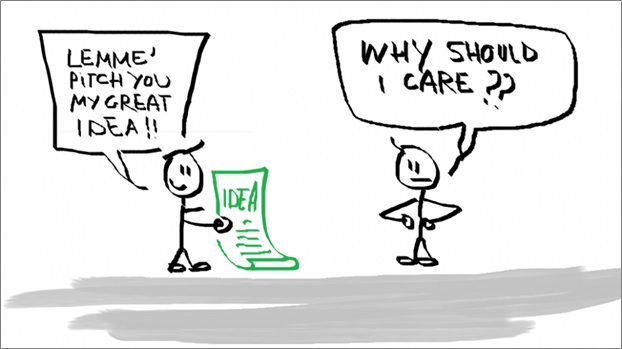
The Australian Society of Authors offers a Literary Speed Dating event. Participants are given the opportunity to peruse the publishers and agents who have decided to give up three minutes of their time to listen to you pitch about why your manuscript may suit what they are looking for.
It’s helpful if you have already done their Pitch Perfect course, run over four weekly sessions, and culminating in a template of how to hit the key points in less than three minutes, in order to allow the publisher/agent to throw a question back to you.
Fast forward.
I pitched two unpublished manuscripts: Louisa’s Legacy (No Place for a Woman) my historical novel set in Sydney between 1880 and 1895, and Finding Florence and Lucy, my hybrid memoir/non-academic biography set in Sydney between 1905 and 1955. I’ll be coy about who I pitched to, if you don’t mind 🙂
I wrote the pitches a few weeks ago and practiced, practiced, practiced. I recorded them on my phone, I recorded them with video on my laptop, I wrote index-sized sight cards, I practiced one at a Society of Women Writers workshop., I practiced both on a Zoom call with a girlfriend – I even practiced them on Bill.
And then, today, on my first-up session, my Zoom connection fell over. No video, no sound. Ten minutes earlier it had been working perfectly.
Despite screaming no, no, no my computer did not respond. I left and re-entered the session several times. My phone was on silent and pushed out of sight, so I missed the help call from the Australian Society of Authors, but her message was calming, ensuring that if I could sort the problem, I would get another slot at the end of the queue.
I did the thing that a Master of Commerce, specialising in Electronic Commerce, equipped me for.
I re-booted my laptop.
Back in full operation, I was able to deliver this pitch. I’m re-assuring myself that as I was the last pitch this publisher heard, I will be the one ringing in his/her ears.
No such problem with the second pitch. But I must have got carried away with imagining myself on stage, as apparently, I consumed the entire three minutes with my pitch, leaving no time for the publisher to ask a question. That’s not how it worked in the practice sessions.
According to the guidelines the publisher has seven days to advise whether the pitch is a match for their call sheet.
So – it has been a long time coming, but it is definitely time to invoke my old, trust-worthy mantra:
“He Who Expects Nothing is Never Disappointed“
 GWEN WILSON, Author, aka The Reluctant Retiree
I’ve been off dealing with family and am just catching up. Hope you’ve heard something positive by now. Tech issues are such a nightmare. You get organised, prepared and then at the crucial moment the call drops out. We have more and more medical appointments now over various video systems and I am not keen. I have one in an hour’s time using Microsoft Team. To mangle your words, ‘It is better than nothing, but I am not expecting much and I am already disappointed.’
LikeLiked by 1 person
Love the word mash!
I’m pleased with the result. The publisher + historical novel was not a match, but the (different) publisher _ hybrid memoir/biography has asked for the first three chapters. So, I’m one step further along and now have to wait a few more weeks to see if there is further interest.
LikeLiked by 2 people
Oh that’s really good to read regarding the hybrid memoir/biography, fingers all crossed for you.
LikeLiked by 1 person
You just have to succeed.
LikeLike
🤞 🤞🤞🤞🤞🤞
LikeLiked by 1 person
You did the best you could under the circumstances, and I wish you the best of luck. Your fans here are rooting for you!
LikeLiked by 1 person
Thank you, Lavinia. At least I only have to wait a week to know whether I made it to the next stage. Going on past events, apparently around 40% make the cut.
LikeLiked by 1 person
Did your laptop work ok after you threw it against the wall. Gwen?
LikeLiked by 1 person
It was a tempting thought, Don. On reflection, though, I am now suspicious that something I had done a little earlier in the day was the root cause.
LikeLiked by 1 person
Good luck Gwen!!!
LikeLike
Many thanks Kerri!
LikeLike
It’s really a dreadful feeling when something like that happens. I can only imagine what you were going through. Just like everyone else at some point, I have had technical issues. One friend make videos for me which I saved. Another walked me through the issues step by step. These were of great help and I saved everything hoping to avoid another “disaster”. I’m still having issues with some things but I’m trying my best to work them out. Good luck to you!
LikeLiked by 1 person
Thank you, Nancy. It was a terrifying few minutes and I certainly wasn’t as calm, collected and methodical as I would usually be during a tech failure.
LikeLiked by 1 person
Fingers crossed, Gwen. You had me laughing and sweating as I could just imagine how I would have panicked. Maybe all those technical problems will play in your favour, and that pitch will stick.
LikeLiked by 2 people
Thank you, Jolandi. There is a little bit of me that dares hope such a positive will come out of what, for a horrible few minutes, was such a negative.
LikeLiked by 1 person
First rule of tech ‘Switch it off then on again’ 🙂 Good luck and keep going. Fingers crossed for a successful outcome on both pitches.
LikeLiked by 1 person
All you can do is show up and have a go, right? I’ll know in a week if I am a match for either, and if no good, then I will move on to the next publisher on my unsolicited submission list.
LikeLiked by 1 person
Write a list of all the things you can do to stop this from happening again, then start working on it. I mean, if it makes the difference between getting published or not, presumably any change – even a new laptop – is small fry?
LikeLiked by 1 person
You make a very good point. I’ve reflected on yesterday, and have a theory about what caused the problem.
I can run it by you, if you are interested. But it’s a bit detailed.
LikeLiked by 1 person
sure.
LikeLiked by 1 person
Okay. Here goes. But it is detailed.
First up, I had tidied my study to remove any distractions in the background, lifted my laptop and dropped my office chair, turned on the room lights and set up side lighting to the left and right.
So, I was looking directly into the screen, and my face was well lit with no deep shadows, which I checked by switching my laptop camera on to myself.
Then I remembered that the angle that the viewer sees on Zoom is slightly different to what you think. So I recorded snippets, played it back, made some adjustments to my laptop angle, and all was good.
Then I thought, what the heck, and recorded an entire run-through just to recheck my facial expressions.
When I tried to play that back it stopped partway with a message about OneDrive capacity. I ignored that as I’d seen enough. So I just settled down to wait my turn in the waiting room.
When my turn came, neither camera nor audio would work until I rebooted my laptop and reconnected to the internet.
Any ideas? I’m thinking I blocked up my RAM or ROM or whatever, or maybe my camera.
I don’t bother with One Drive or the Cloud, so am going to have to investigate why it had synced my recording to One Drive in any case.
LikeLiked by 1 person
Well, OneDrive is a Microsoft thing, basically cloud storage. Imagine another disk, but on the internet. The thinking is, if a photo or video is stored on the internet, then you can’t detete it by mistake.
We probably get a small amount of storage thrown in when we set it up. Wouldn’t surprise me. I suspect you set it up at some point. There is an option to back up your videos and photos to this drive. My guess is, you’ve been doing that without necessarily realising it. And that perhaps the drive got full? which made the software get into a tizzy?
But you could either sift through your existing OneDrive space, and get rid of unwanted photos/videos etc., or buy more OneDrive space (I have 2,000 GB which is large enough for hundreds of movies), or both. Or… do you need to be backing up to OneDrive at all? Sounds like this particular video was throwaway anyhow.
Any of this make sense?
LikeLiked by 1 person
Many thanks for your guidance. It all makes perfect sense. I’m having trouble seeing exactly what is in One-Drive, but I’ll persist. It will become clear.
LikeLiked by 1 person
Hang On: https://onedrive.live.com You’ll need to log in to see your files I guess.
LikeLiked by 1 person
Thank you.
LikeLiked by 1 person
It’s funny, I don’t interact with OneDrive much, just let it do its thing, but these last few months I’ve been copying all my own things to the cloud. But I’d recomment going through and trashing what you don’t want to keep. Or, I have bought 1TB of OneDrive space for about 6USD/month, plus they “give” you 1TB with an Office subscription.
LikeLike
Greetings from Llangollen. Good luck!! Can relate to the tech issues. My mind would have gone blank.
LikeLike
Thank you Lynda. Blank was one of the many reactions of my mind in those terrifying few minutes. J Gwen
LikeLike